
Wake up to your clients, deadlines and drafted replies on one page
Every weekday morning, an AI assistant reads your Gmail and calendar. It lists your clients by stage, who still needs an agreement signed, this week's deadlines and who to follow up with. The replies are already drafted in Gmail. You press Send.
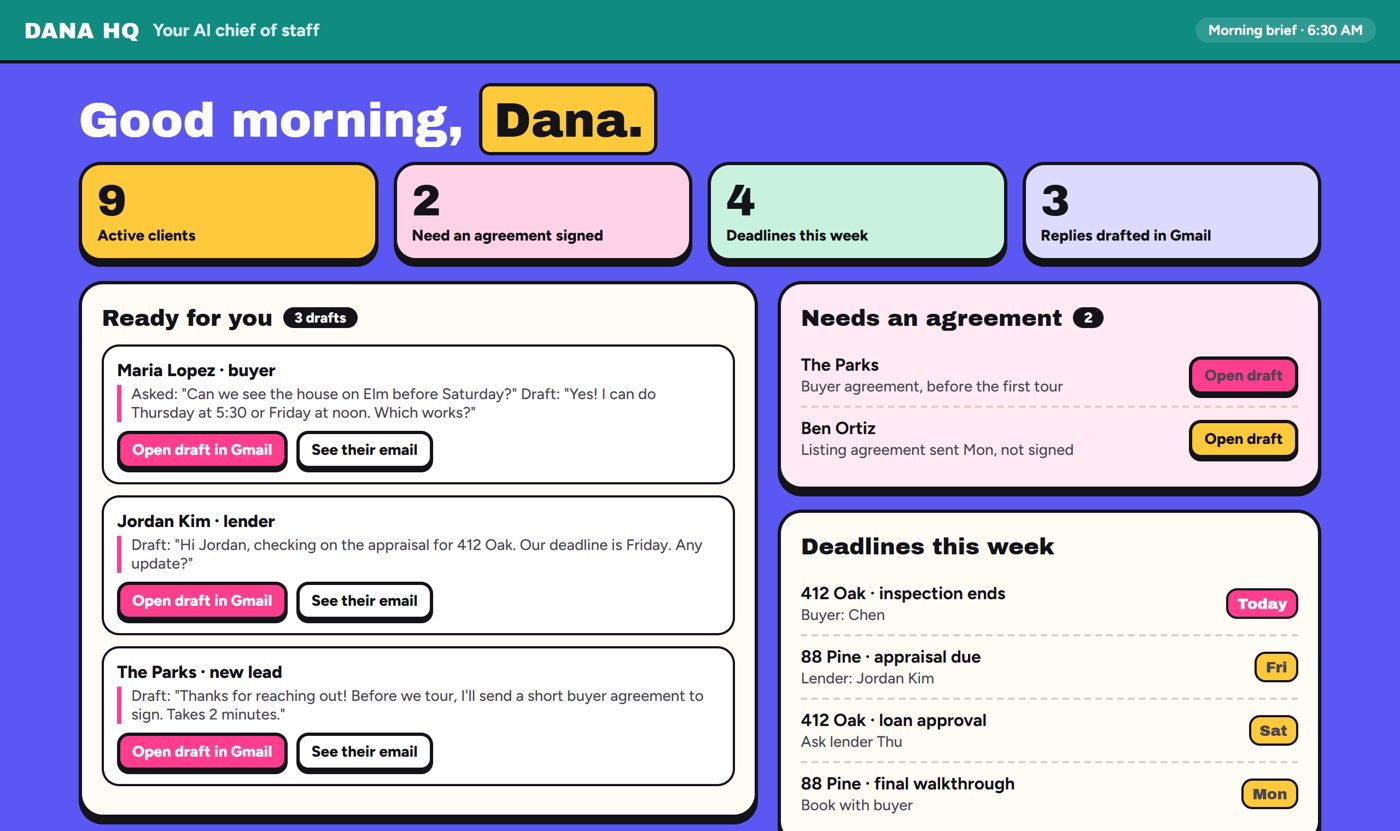
Sample morning brief with sample clients. Yours shows your real ones.
Every morning, five lists
It does the reading and drafting part of a transaction coordinator's job, before you're up. Every item links to the email or event it came from.
- 1
Clients by stage
New lead, touring, offer out, under contract, listing. Built from who you've been emailing and meeting.
- 2
Needs an agreement
Buyers you're touring without a signed buyer agreement in your email, and listing agreements still unsigned.
- 3
Deadlines this week
Earnest money, inspection, appraisal, loan, HOA docs, walkthrough, closing. Each one linked to the email it came from.
- 4
Follow up today
Who's waiting on you, who went quiet, new leads you haven't answered, and recent closings to ask for a review.
- 5
Replies already drafted
A reply in your voice for each email that needs one, saved in Gmail Drafts in the right thread. You press Send.
It drafts. You send.
Nothing goes to a client without your tap, and it never touches a contract.
Why I made this for agents
I'm a managing broker in Arizona and Washington, and I've invested in real estate since 2007. My own AI chief of staff reads my inbox before I'm up and drafts my follow-ups. I approve and press Send.
I shared my setup with the investors in my Addicted to ROI community, and they've really liked it. So I rebuilt it for agents and made it as simple as I could: just Gmail and your calendar, about 30 minutes on your computer, then it lives on your phone. It never sends, never touches a contract, and can't see your CRM or MLS. No surprises.
Since August 17, 2024, NAR rules say you need a signed buyer agreement before you tour. That's one more thing to track. Your brief lists every buyer still missing one, with a friendly email asking them to sign already waiting in your Drafts.
Jennifer Beadles
Agents Invest · Managing broker, AZ and WA
Six steps, about 30 minutes
If you can copy, paste and talk into your phone, you can do this. A picture on every step.
Step 1
Get Claude
A Claude Pro plan, on your computer and your phone.
Step 2
Connect Gmail and Calendar
Click Connect and sign in to Google in Google's own window. No passwords in a chat.
Step 3
Paste one prompt
Your assistant's rules: what to watch, how you write, and what it may never do.
Step 4
Get your first brief
Paste the brief prompt. Your page shows up and the drafts land in Gmail.
Step 5
Put it on a schedule
It runs every weekday morning, even if your computer is asleep.
Step 6
Use it from your phone
Your brief and replies wait in Gmail Drafts. Dictate errands between showings.
Inside the guide
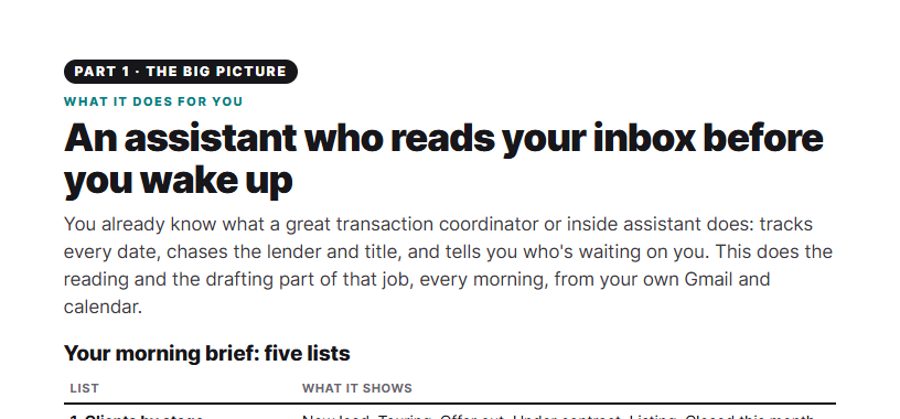
What it does, in plain words
The five lists, what each one shows, and what it can't see (so there are no surprises).
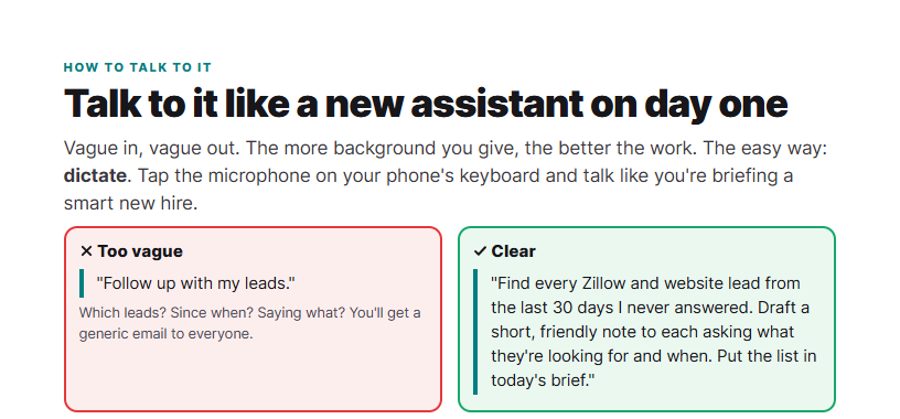
How to talk to it
Dictate, give the background, say what done looks like. Real agent requests you can copy.
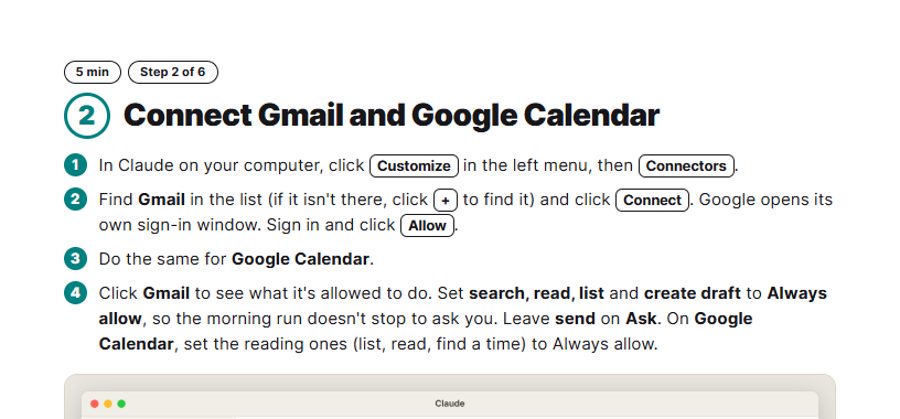
A picture on every step
Exactly where to click, from signing up to connecting Gmail and Google Calendar.
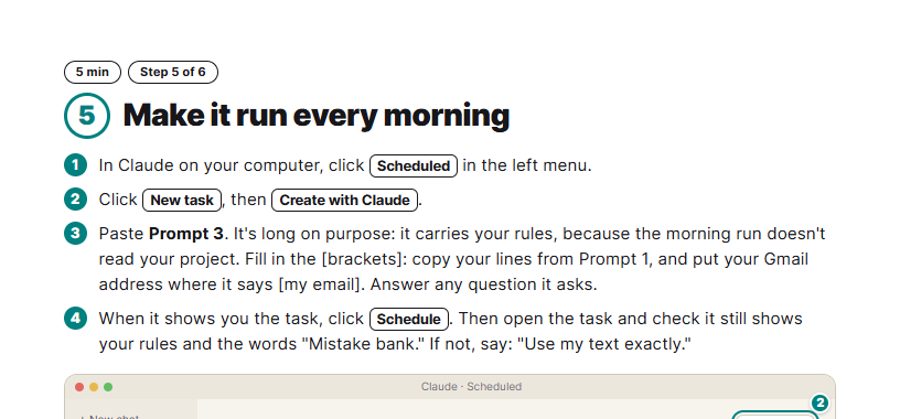
It runs while you sleep
Set the morning run once. Your brief and drafts are waiting when you wake up.
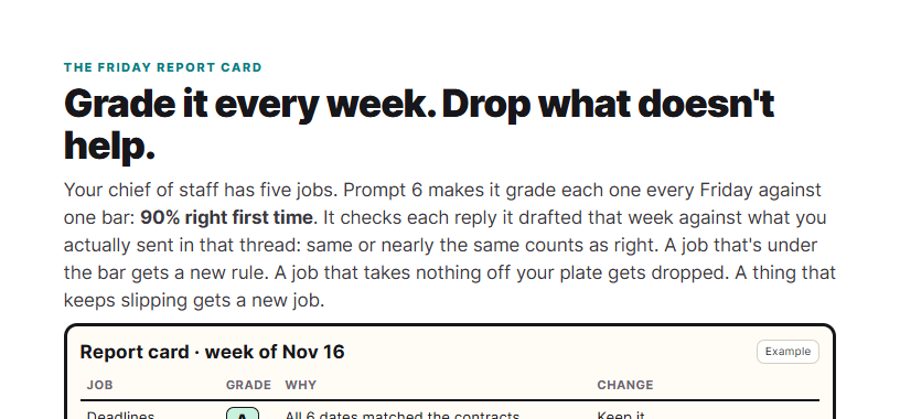
A Friday report card
It grades itself against a 90% right-first-time bar, writes one new rule for anything under, and drops what doesn't help.
What you get
- 14-page PDF guide
- 7 copy-and-paste prompts
- Emailed to you right after checkout
Questions
I'm not techy. Can I really do this?+
Yes. There's no code and nothing to install besides the Claude app. You click Connect, sign in to Google, and copy and paste the prompts. Every step is one page with a picture. Setup takes about 30 minutes.
What else do I need?+
A paid Claude plan (Pro is $20 a month at claude.com/pricing, and is enough to start), and your work email in Gmail with Google Calendar. The pictures and steps are for Gmail; Claude also connects to Microsoft 365 if you use Outlook.
Will it email my clients by itself?+
No. It drafts. You send. Replies wait in your Gmail Drafts folder, in the right thread, until you press Send. It never accepts invites, books or deletes anything, and it never writes or changes a contract or agreement.
Can it see my CRM, MLS or e-sign tool?+
No, only your Gmail and Google Calendar. Tip from the guide: turn on email alerts in your e-sign tool so "signed" and "completed" notices land in Gmail, and it can tell who has signed.
Does my computer need to stay on?+
No. The morning run happens in the cloud on its schedule, even when your computer is asleep.
Is my client information safe?+
You sign in to Google yourself, and you never type a password into a chat. Some brokerages have rules about AI tools and client data, so check yours before you connect your work email.
What do I get, and is it a subscription?+
A 14-page PDF guide and a prompts file (7 copy-and-paste prompts). You download both right after checkout, and I email them to you too. $47 once. Claude is a separate plan you pay Anthropic for.
A setup guide, not legal advice. Agents Invest is not affiliated with Anthropic or Google. Screens in the Claude app can change with updates.